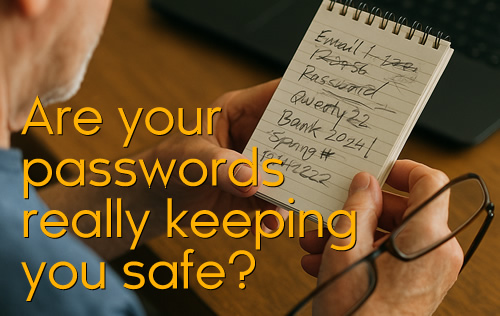
One of the most common risks we see — especially with home users and retirees — is handwritten passwords.
 Jotted in notepads, on scraps of paper, or even stuck to the monitor or left openly on the desk.
Crossed-out versions that no longer work.
And when you need it most? The “right one” is always missing or doesn’t work!
It feels like a system… but it’s actually a big security risk:
 Anyone passing by can see and use your details.
Paper can be lost, stolen, or photographed in seconds.
If you reuse the same password across sites, one breach can unlock everything.
Passwords should never be reused, never shared, and never sent in clear text (like email or chat).
You may think that none of the above matters, since it’s all within the confines of your own home.
But time and time again we see home computer users struggling to find the correct password for a login — despite often having extensive notepads full of scribbled entries.
And should that notepad go missing, someone effectively has the keys and can likely decipher your scrawl to gain access to your accounts.
 Here’s the smarter, safer solution:
Use a Password Manager (like LastPass, 1Password, or Bitwarden).
Securely store all your passwords in one encrypted vault.
Generate strong, unique logins for every site — no repeats, no guesswork.
Must have: Multi-Factor Authentication (MFA).
 Think of it as a digital keyring: instead of carrying dozens of messy, unreliable keys, you carry one strong master key that safely opens every door.
At SwiftServe IT, we help both businesses and home users set up simple, secure password solutions.
No more scribbled notes.
No more “what’s the right one?” panic.
Just safe, easy access to your accounts.
 Ready to tidy up your password chaos? We’ll help you get set up quickly and securely.