 Imagine losing your photos, documents, or financial records overnight. It happens more often than you think — hardware failure, theft, ransomware, or even just accidental deletion.
That’s why backups matter. But here’s the thing: relying on only one type of backup leaves you exposed.
 Cloud Backups (OneDrive, Google Drive, iCloud, Backblaze)
Here at SwiftServe It we understand many people don’t trust or understand cloud backup providers and methods. Think of it this way, if your computer with the thousands of family photos suddenly stops working for any reason, how will you feel if you can not access those family photos?
Some of you have photos backed up on external USB drives and in some cases you have photos in iCloud for iPhone users. USB drives fail over time and photos from your phone and synced with iCloud may or may not include all of your photo collection, much less other files such as documents on your computer.
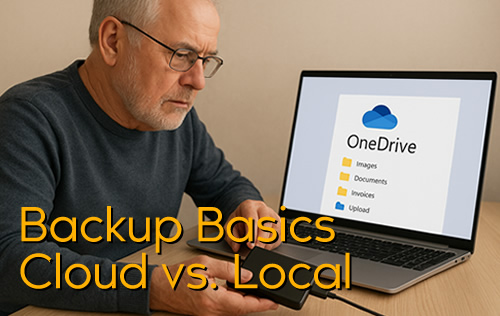
Technology has evolved and Cloud Backups are now the new normal. External USB Drives are no longer the de facto method to backup your computer. OneDrive in particular is a front runner for backing up your desktop computers documents and pictures (photos) folders. Google Drive, iCloud and other platforms function much the same. With OneDrive’s integration with Microsoft 365 and for Windows 11 systems, OneDrive is usually ‘on’ by default. This is a good thing. We cant tell you how much this has saved so many of our customers data (i.e. documents and pictures)
What’s more, you can also install OneDrive or other Cloud apps on your phone and other devices. This provides you with full synchronisation across all of your devices.
 Always available anywhere you have internet.
Automated — no need to remember to plug anything in.
Protected even if your computer is lost or stolen.
 Needs internet access, and recovery can be slower for large files.
 Local Backups (External hard drive, NAS)
Fast, full recovery if your system fails.
You don’t rely on internet speed or availability.
Can be lost, damaged, or stolen along with your computer.
 Best Practice: Use both. A local backup for quick recovery, plus a cloud backup for off-site safety.
 Think of it like seatbelts and airbags — each protects you differently, and together they cover more risks.
At SwiftServe IT, we regularly help home users and small businesses set up backup strategies that actually work when disaster strikes.
 Don’t wait until it’s too late. Ask us about setting up a backup plan that’s simple, secure, and stress-free.